Software for civil engineering contractors:
enquiry to paid invoice
Office, planner, a foreman's app for site, a customer portal and a depot wallboard, all on one database.
This is an operations system for a civil engineering and surfacing contractor. It runs from the enquiry email through quoting, planning the gangs, the job on site and invoicing to the paid invoice, with an office app, a planner, a site app for foremen that works offline, a customer portal and a wallboard.
A contractor's information usually lives in four places: the estimator's spreadsheet, the planning board on the wall, the foreman's paperwork and the accounts package. Each is accurate on its own and none of them agree.
This system puts all four on one database. Booking a gang creates the foreman's daily sheet. The sheet feeds the invoice. The invoice goes to the accounts package. Nothing is typed twice.
Who built it. This system was designed and built by Record Digital Limited, trading as Record Group, the Stourport-on-Severn software company that P30X works alongside. The client is not named. Every screen below is the real system, filled with demo data.
Office, planner, site and customer, joined up
- Shared mailbox intake. AI sorts each incoming email and pre-fills the details. A person confirms before anything is created.
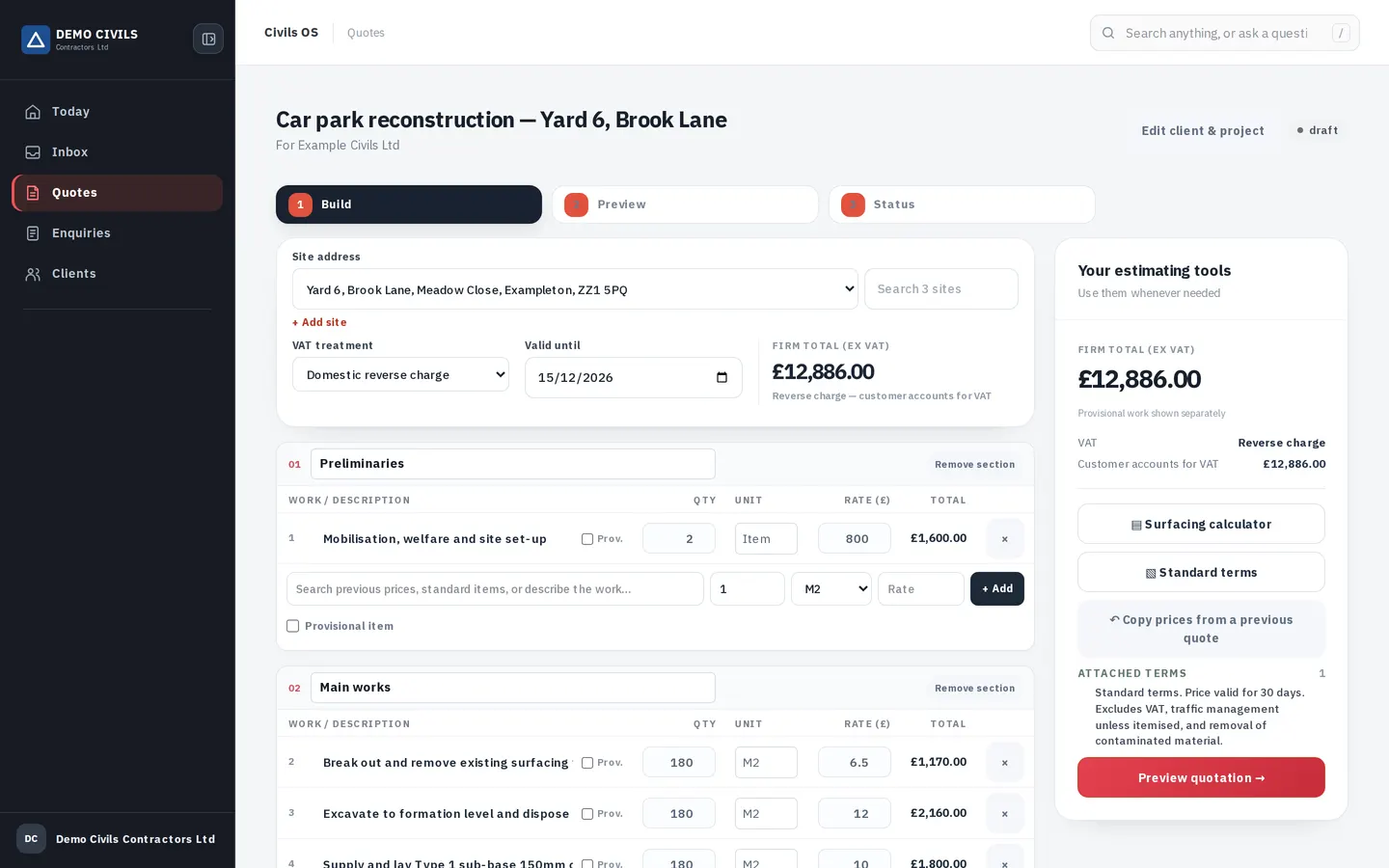
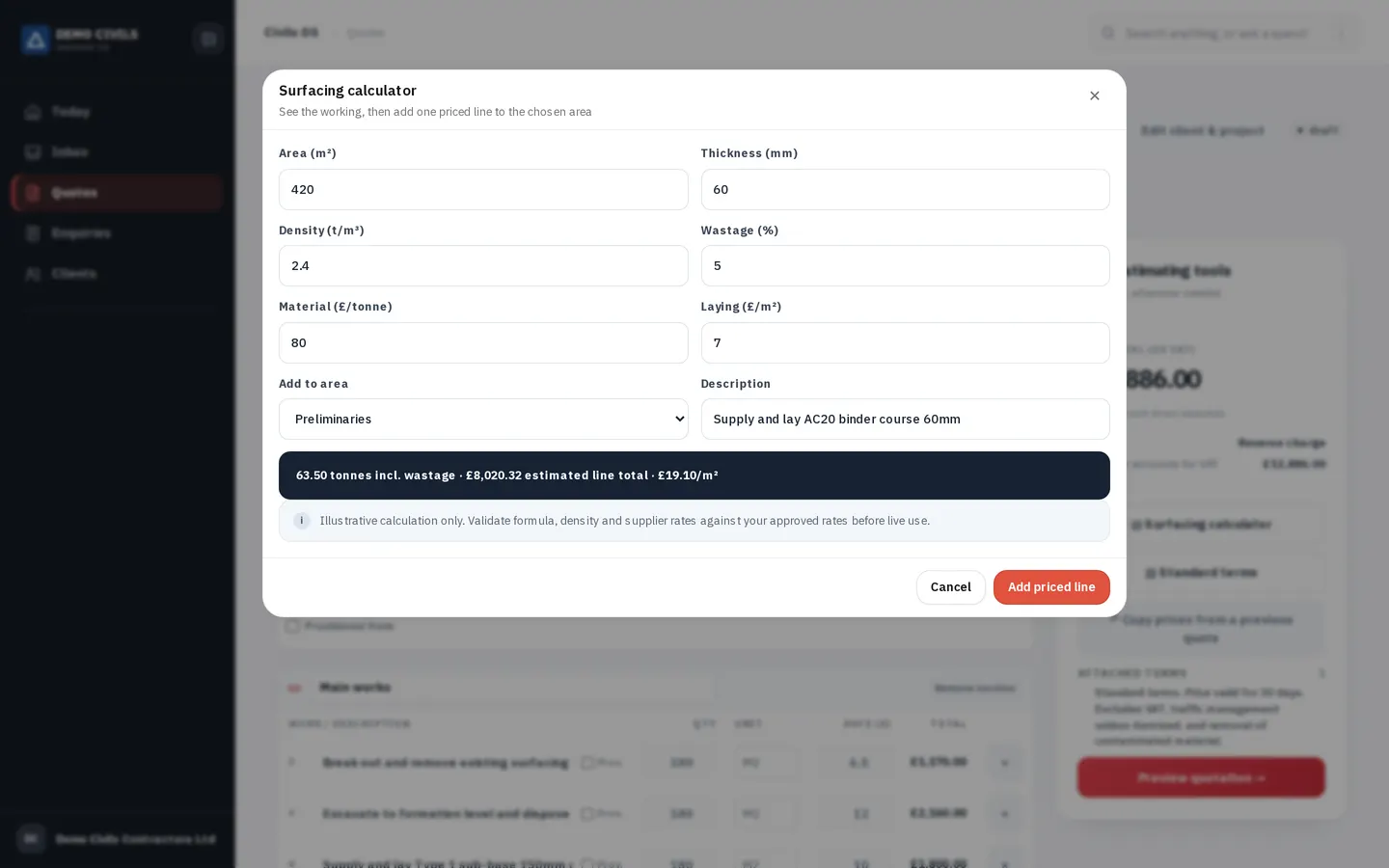
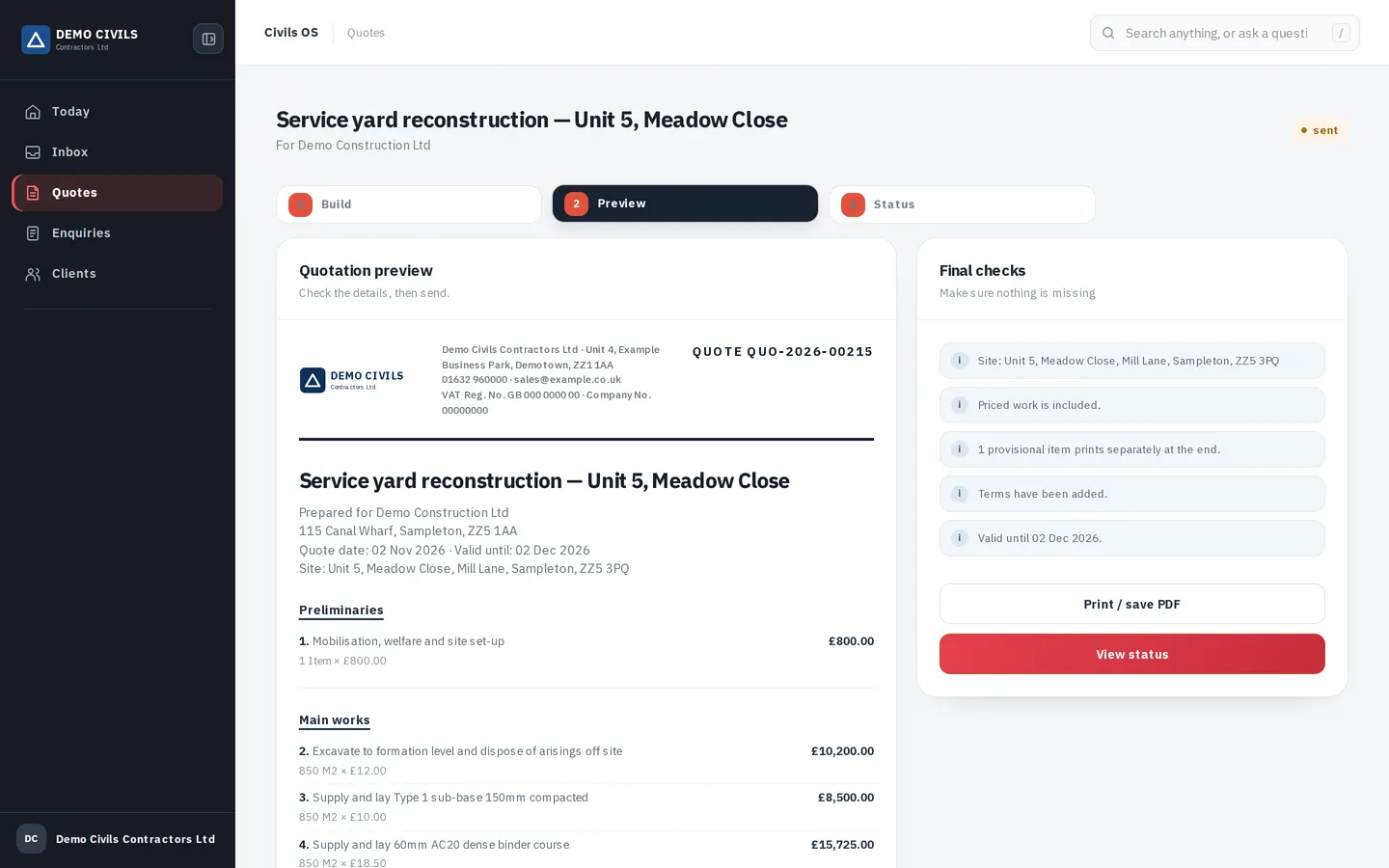
- Quotes and tenders. A pricing calculator works out quantities and cost by fixed formula, not AI. Approval freezes the figures and the PDF.
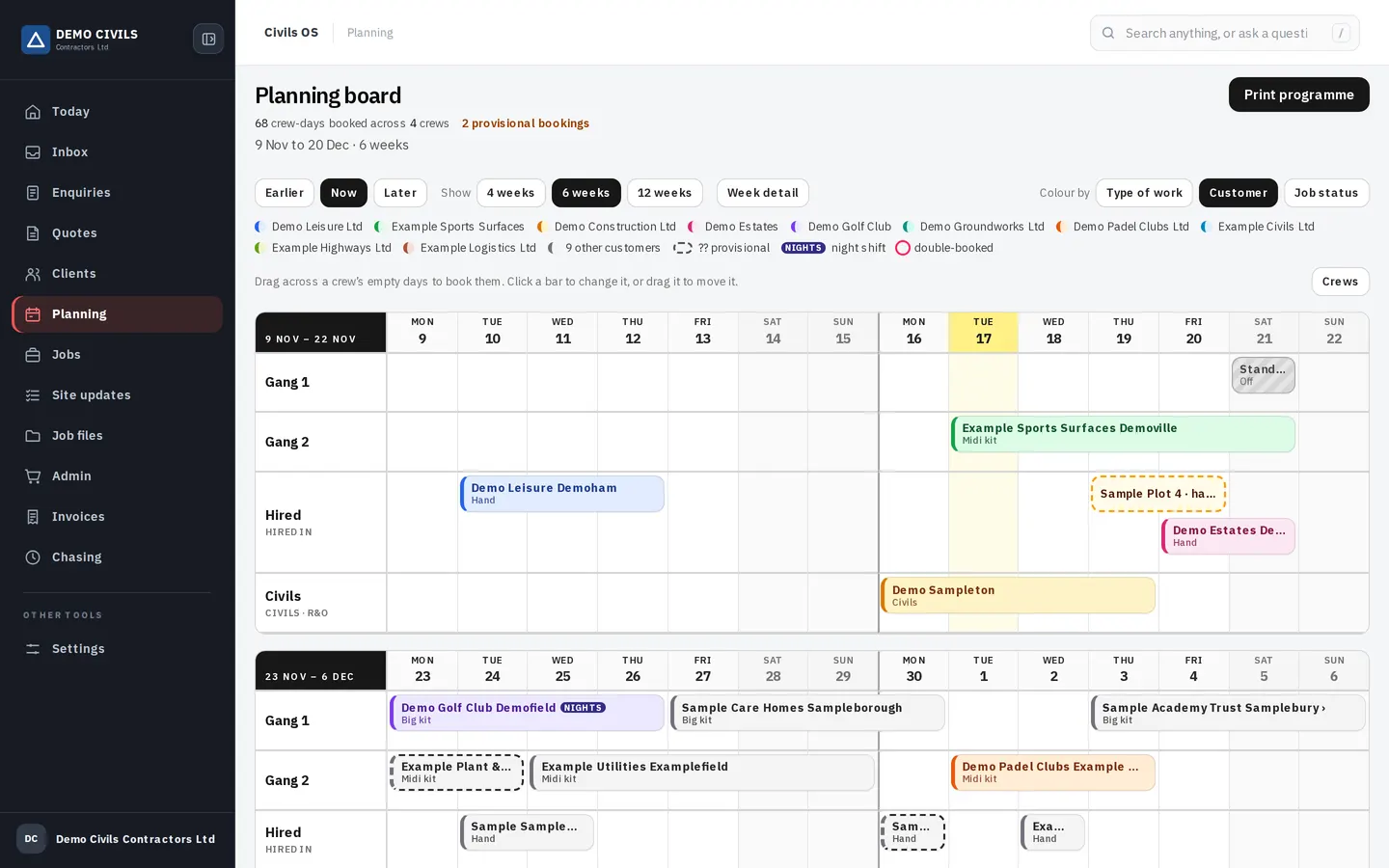
- Planning board. Booking a gang creates the foreman's daily sheet automatically. Double-bookings of people and plant are caught by rules.
- Foreman's app that works offline. Edits queue on the device and send when there is signal. Photograph a delivery ticket and AI reads it, the code checks the weights add up, and the gang confirms.
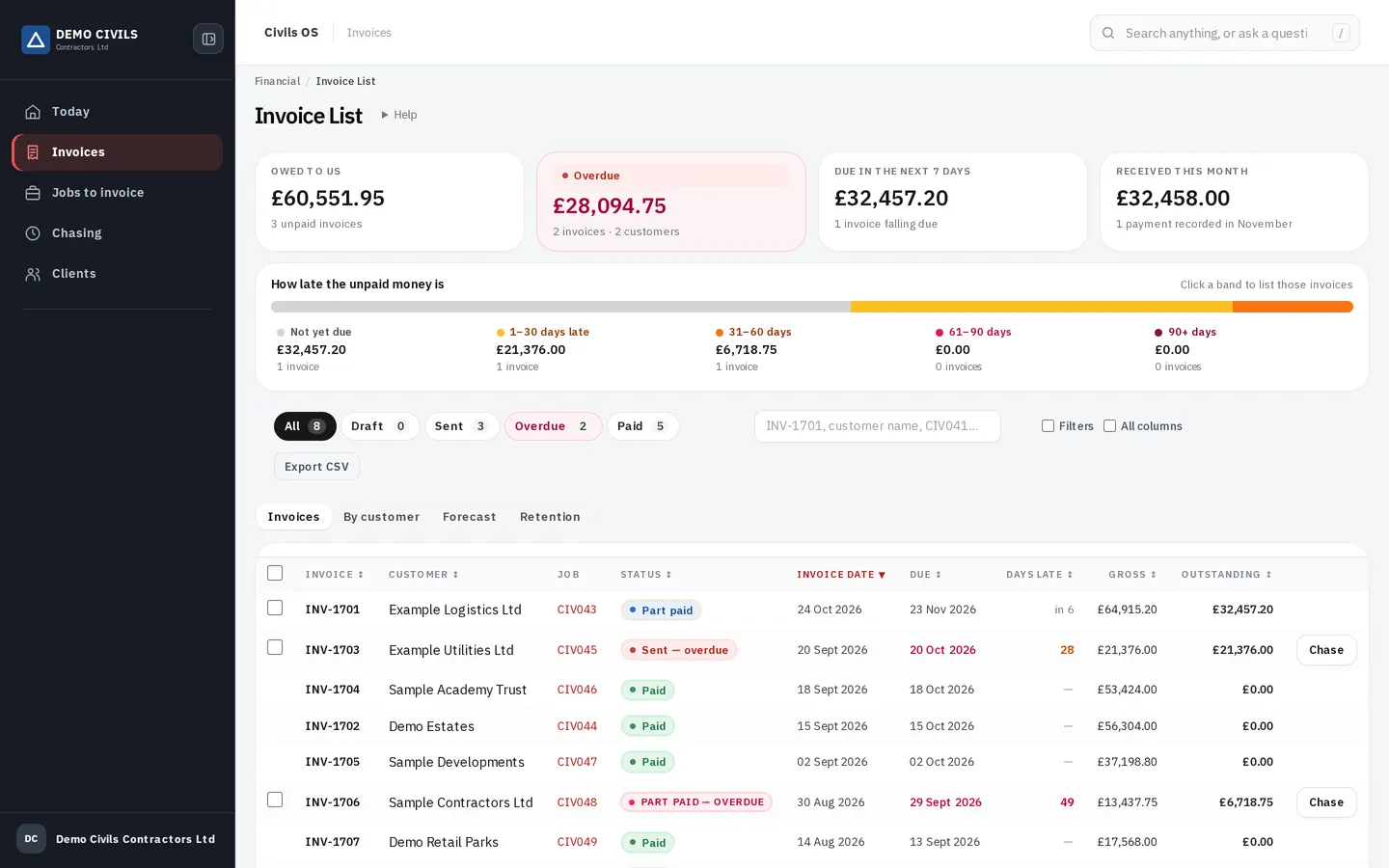
- Finance. Invoices, applications for payment, valuations and retentions, with links to Sage 50 and Xero.
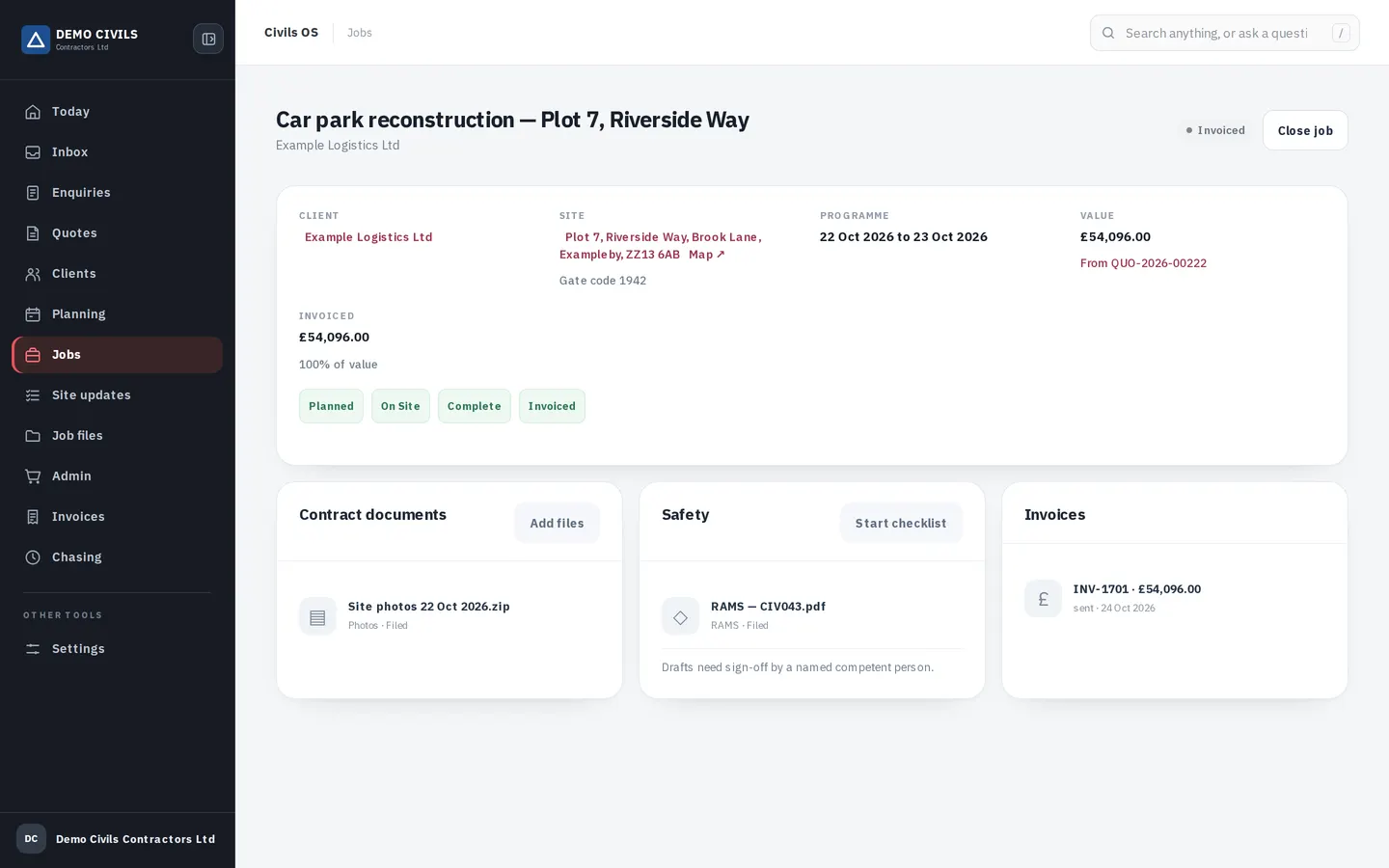
- Safety and quality. Safety packs, non-conformance reports, quality records, vehicle checks and a three-stage sign-off.
How a job flows through it.
Each step shows what the software does on its own, where AI helps, and where a person makes the decision.
Automatic the software does it AI AI reads or drafts A person decides a person approves
Email arrives Automatic
The shared mailbox is read on a timer. Each email and its attachments are saved once.
AI sorts and reads it AI
It suggests what kind of email it is and pre-fills the details from the thread, photos and PDFs. Nothing is created from it yet.
The office confirms A person decides
A person confirms or re-sorts the email and routes it to an enquiry.
The quote is built
The estimator adds lines and the calculator works out quantities and cost by formula. On request, AI suggests lines from past quotes, with rates held inside the range actually charged before. Nothing is added until the estimator ticks it.
Approved and sent A person decides
Approval checks that every line is priced and VAT is set, then freezes the figures and the PDF. The customer accepts by private link, in the portal or by e-signature.
Award and job in one step A person decides
One click on an accepted quote creates the contract award and the job together.
A gang is booked Automatic
The daily sheet for that job, day and gang appears with the safety pack attached. Clashes are flagged for the planner to resolve.
On site AI
The foreman works on a phone or tablet, with or without signal. Operatives sign the safety pack. Delivery tickets are photographed, read by AI, checked by the code and confirmed by the gang.
Signed off A person decides
Supervisor first, then the office, then the customer's representative.
Invoiced and into the accounts Automatic
The invoice is raised from the accepted quote and approved by someone with finance permission. Approved invoices go to the accounts package on a timer and payments are read back.
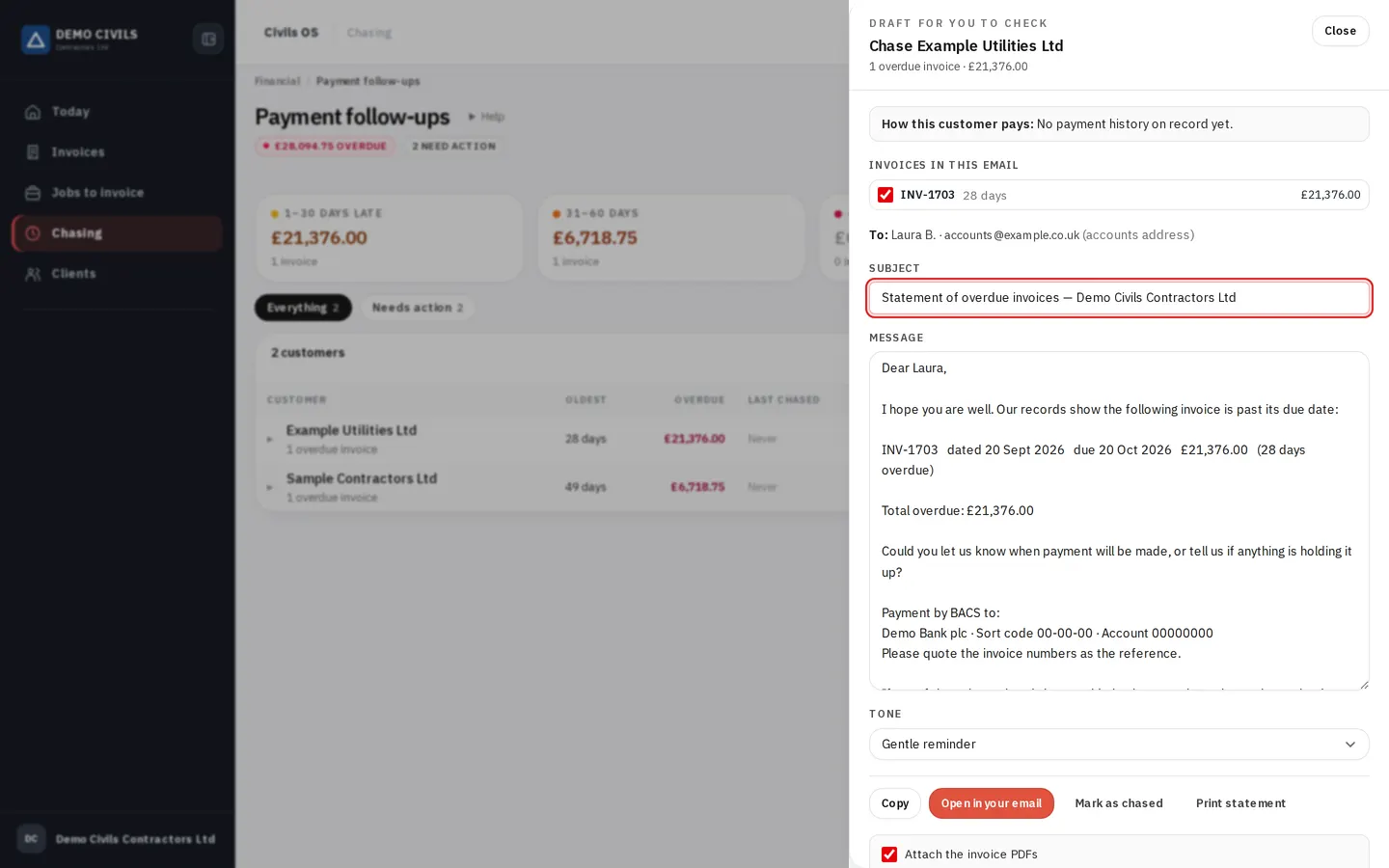
Chased, politely AI
The overdue list comes straight from the database. AI words the reminder around facts the code has checked, and a person sends it.
The actual system, with demo data
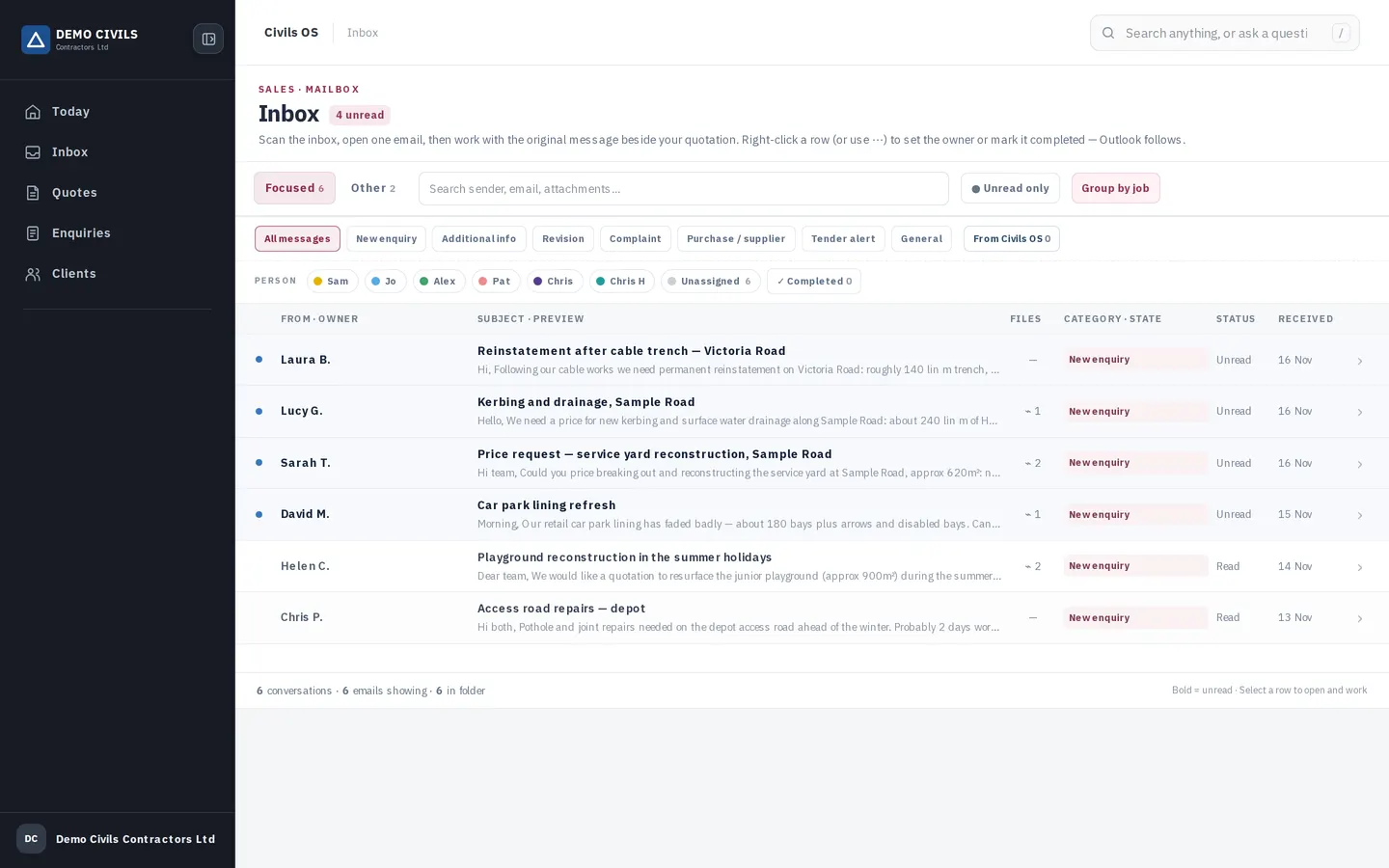
These are the real screens, filled with invented demo data so that no client, person or figure is shown.
Frequently Asked
Is there software for civil engineering and surfacing contractors?
Yes. Record Group, which P30X works alongside, designed and built an operations system for a civil engineering and surfacing contractor. It runs from the enquiry email through quoting, planning, the job on site and invoicing to the paid invoice.
Does the site app work without signal?
Yes. The foreman's app works on a phone or tablet with or without signal. Edits wait on the device and are sent when signal returns.
Does AI price the quotes?
No. A pricing calculator works out quantities and cost by fixed formula. On request, AI can suggest lines from past quotes, with rates held inside the range actually charged before, and nothing is added until the estimator ticks it.
Does it link to Sage or Xero?
Yes. It has links to Sage 50 and Xero. Approved invoices go to the accounts package and payments are read back.
Does it cover safety paperwork?
Yes. Safety packs with risk assessments and method statements, non-conformance reports, quality records and vehicle checks, with a three-stage sign-off.
How does it handle delivery tickets?
The foreman photographs the ticket, AI reads it, the code checks that the weights add up, and the gang confirms.
One system for your contracts
Tell us how the job is done today. Email [email protected] or call 01299 333446.
Start a Conversation